
When you read an article or research report online, one of the first elements you look for is the publication date: “Published on 13 October 2026” or “Last Updated 2 Hours Ago”.
In an era of rapid information obsolescence, readers want reassurance that the material they are reading is fresh, accurate, and up to date.
However, in web development and data auditing, a displayed timestamp is one of the easiest elements to fabricate, automate, or misunderstand. To truly know when a page changed and what was altered, you must understand the mechanics of version history.
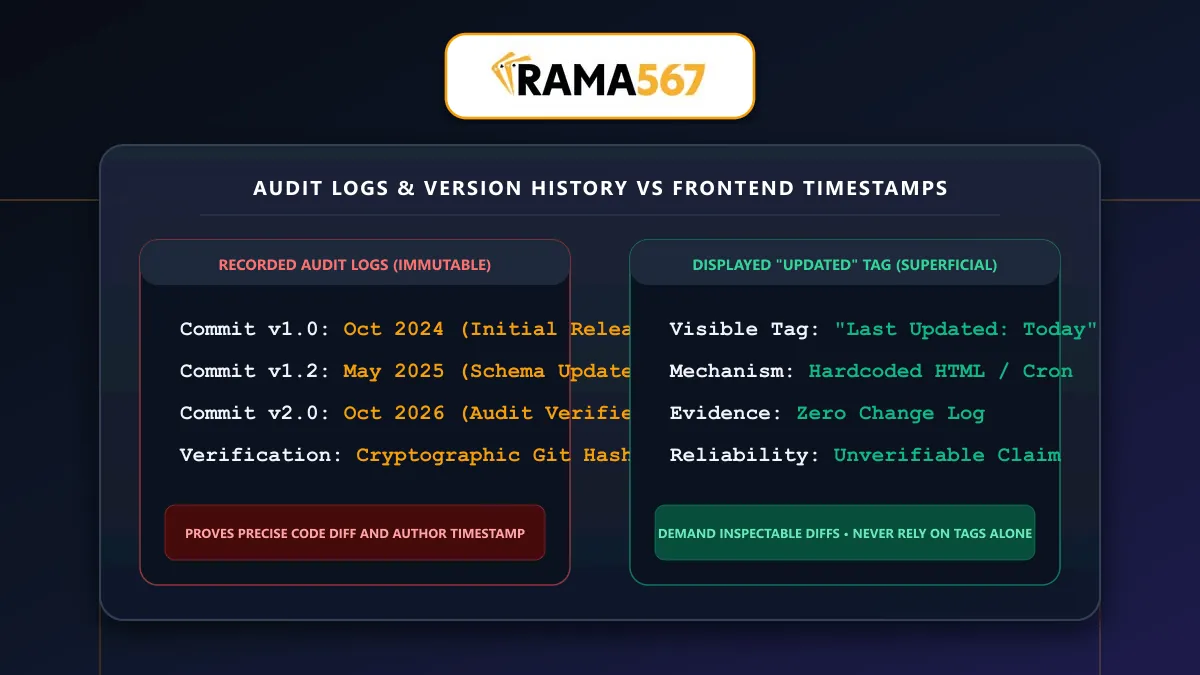
The Illusion of the “Last Updated” Badge
Many commercial websites, affiliate portals, and news aggregators configure their content management systems (CMS) to automatically display today's date:
<!-- Deceptive CMS pattern: -->
<p>Last Audited: <script>document.write(new Date().toDateString());</script></p>
When a visitor lands on that page on a Tuesday, it says “Last Audited: Tuesday”. When they visit on Thursday, it says “Last Audited: Thursday”. Not a single sentence of text was reviewed or changed, yet the visitor leaves believing the content was refreshed that morning.
Even on reputable websites that do not practice intentional deception, the HTTP response header:
Last-Modified: Tue, 13 Oct 2026 08:00:00 GMT
merely reflects when the server's build process last generated the static .html file. If a developer fixes a typo in the site footer, every single article in the archive receives a new "Last Modified" timestamp.
What a True Version History Actually Establishes
In computer science, a true version history (such as a Git repository, a Wikipedia revision log, or a legal document redline) is fundamentally different from a simple date stamp.
A genuine version control record establishes:
┌────────────────────────────────────────────────────────┐
│ ANATOMY OF A TRUE REVISION COMMIT:                     │
│ Commit Hash: 8f4b1c29e7a... (Cryptographic Fingerprint)│
│ Author:      Shikixm <contributor@rama-567.com>       │
│ Timestamp:   2026-10-13 14:22:10 UTC+05:30             │
│ Diff:        - "Rate was estimated at 12%"             │
│              + "Audited rate confirmed at 14.2%"       │
│ Message:     "Reconciled Q3 statistical table"         │
└────────────────────────────────────────────────────────┘
- The Exact Textual Delta (Diff): It displays the precise characters added (green) and removed (red).
- The Exact Commit Timestamp: The moment the change was committed into the version tree.
- Cryptographic Integrity: In modern version control systems like Git, each commit hash is calculated from the contents of the change and the previous commit hash, making retroactive tampering mathematically evident.
- Attribution: The digital signature or identity of the developer or editor who authorized the edit.
What Version History Omissions Remain
Even a pristine Git commit history has limitations:
- It proves that the text was changed, but it does not prove the claim inside the text was factual.
- It cannot reveal whether the author changed the numbers because of genuine new evidence or because of editorial pressure.
- It does not capture changes made to external APIs or third-party servers that the webpage might pull data from dynamically.
Versioning and Publishing Practices on Rama567
To maintain total transparency with our readers, let us examine how versioning operates on Rama567.
- Static Architecture: Rama567 is built as a static site using Vite and TypeScript. Code and content are tracked internally in version control systems during development.
- Editorial Dates vs. Deployment Dates: On the public blog, dates displayed on articles (such as
13 October 2026) represent the assigned editorial publication date—the chronological point in our editorial calendar when the research was curated. They should not be confused with historical deployment timestamps or database creation dates. - No Public Diff Viewer: The public Rama567 website does not provide a public user-facing revision log (unlike a wiki). Articles are published as finalized static resources. If a significant correction is warranted, editorial updates are integrated into the article body directly.
Understanding this operational distinction prevents visitors from confusing backdated editorial records with historical server logs.
How Readers Can Investigate Webpage Revisions
When investigating whether an online claim has been altered or backdated, you do not have to rely on the website's word. Use these third-party verification tools:
[ Target Webpage ]
        │
        ├── 1. Wayback Machine (Internet Archive) ── Captured snapshot history
        ├── 2. Google Cache / Bing Cache          ── Last search engine crawler pass
        ├── 3. Public GitHub / GitLab Repos       ── If documentation is open-source
        └── 4. HTTP Headers (cURL / Network Tab)  ── Server ETag & Last-Modified
- The Wayback Machine (archive.org):
Check when the Internet Archive crawler first indexed the URL. If an article claims to have been published in 2020, but the earliest archive capture occurred in 2025, that gap warrants scrutiny. - Inspect the
ETagandLast-ModifiedHeaders:
Open your browser’s Developer Tools (Networktab) and inspect the document headers. AnETagprovides a unique hash representing the current file version on the server. - Compare Wayback Snapshots:
The Wayback Machine features a "Changes" tool that highlights differences between two snapshot dates, allowing you to see what an organization silently edited after a controversial event.
Summary: A Critical Framework for Web Dates
Before relying on an online date stamp, ask these four questions:
- Is this an immutable commit log or a front-end label? (A tag saying "Updated" without an inspectable diff is an unverified assertion).
- Does the date reflect publication or source event? (An article written today may be describing an event from 1995).
- Has an independent crawler archived the page? (Cross-reference Wayback Machine captures).
- Is the publisher transparent about corrections? (Ethical platforms publish formal correction notes rather than quietly overwriting past errors).
Explore our companion guides on data provenance and evaluating datasets on the Rama567 Blog to cultivate a rigorous, evidence-based approach to digital information.